
Do it once.
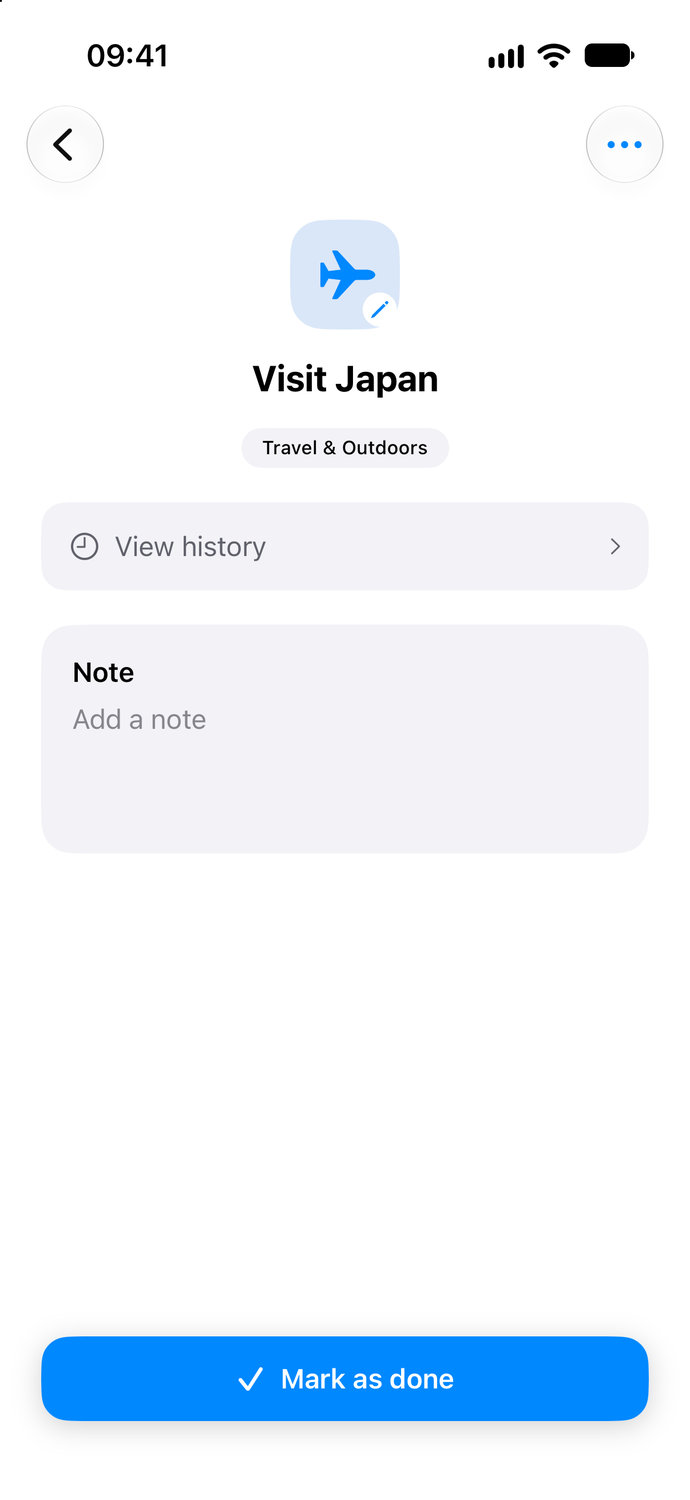
Visit somewhere new or try something for the first time. Mark it complete when it happens.

Make time for the things you want to do.
Keep your ideas, plans, and progress together
in one simple app for iPhone and iPad.

Available now
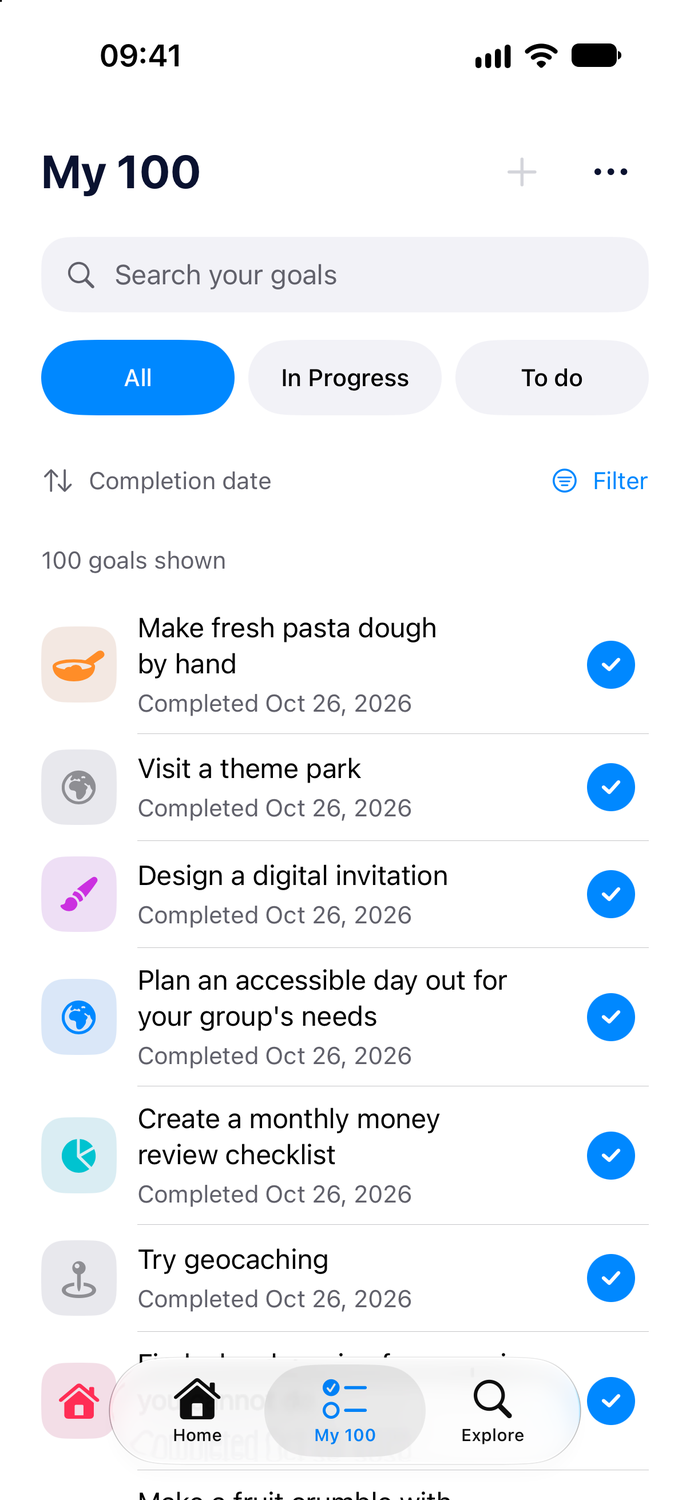
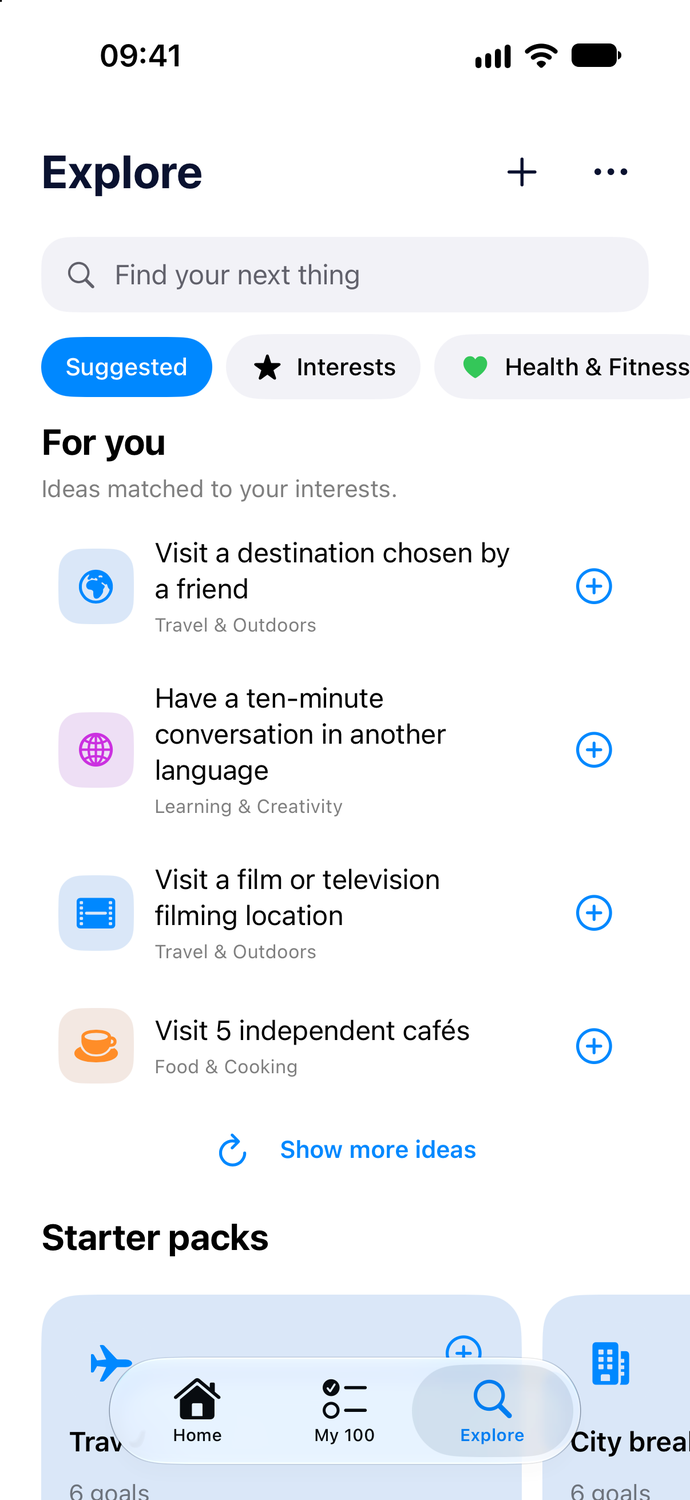
A trip you’ve talked about for years. Twelve books you’d love to read. A few more dinners with friends. Do 100 gives those ideas a place to become plans.
Start with a handful of goals and add to your list as you go. There’s room for up to 100, and no need to think of them all at once.
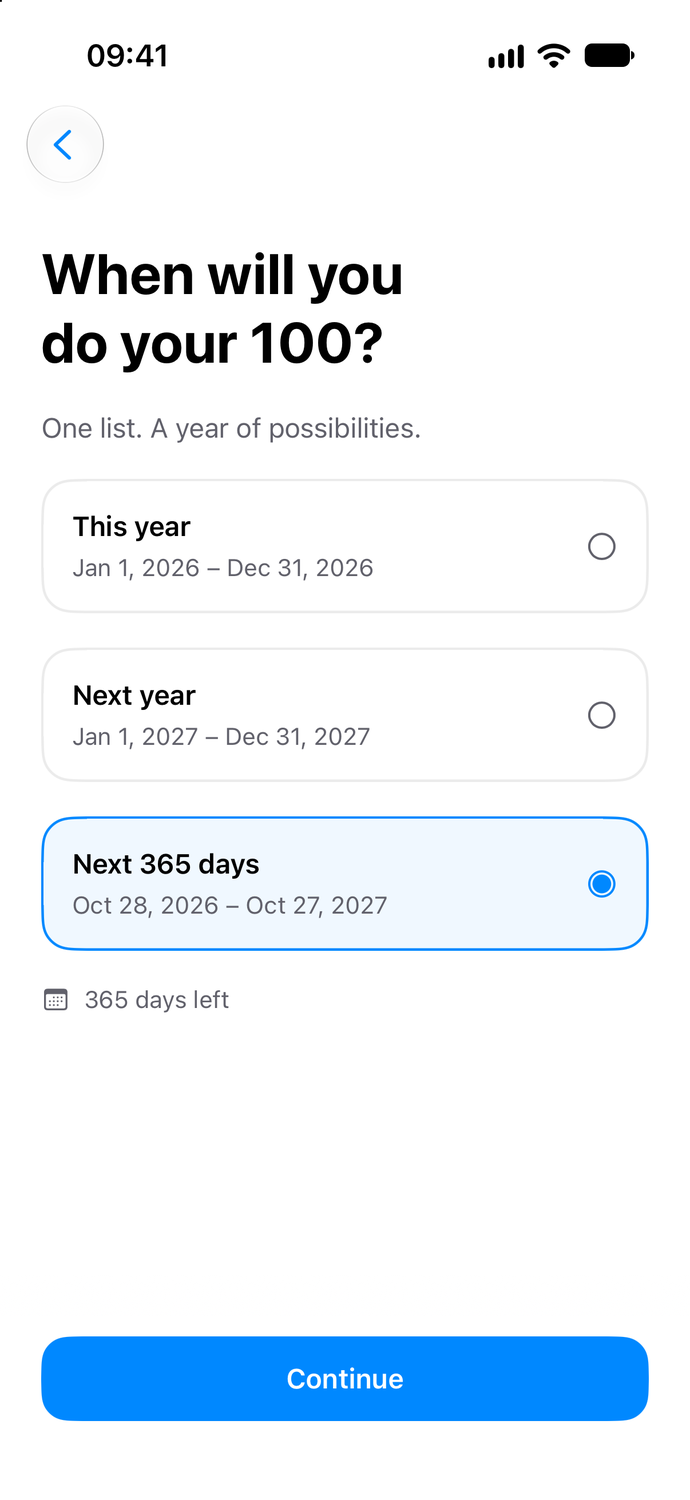
Plan for this year, get a head start on the next one, or give yourself 365 days from today.
Choose the period that makes sense for you. Then start filling it with things you want to do.
Browse 1,000 ideas, from small things to try this weekend to bigger plans for the year.
Explore your interests, discover something unexpected, or write a goal of your own. Every idea is a starting point you can change to suit you.
Travel, fitness, creativity, food, friends, and more.
Some things you do once. Some you keep coming back to. Others come together one task at a time.
Visit somewhere new or try something for the first time. Mark it complete when it happens.
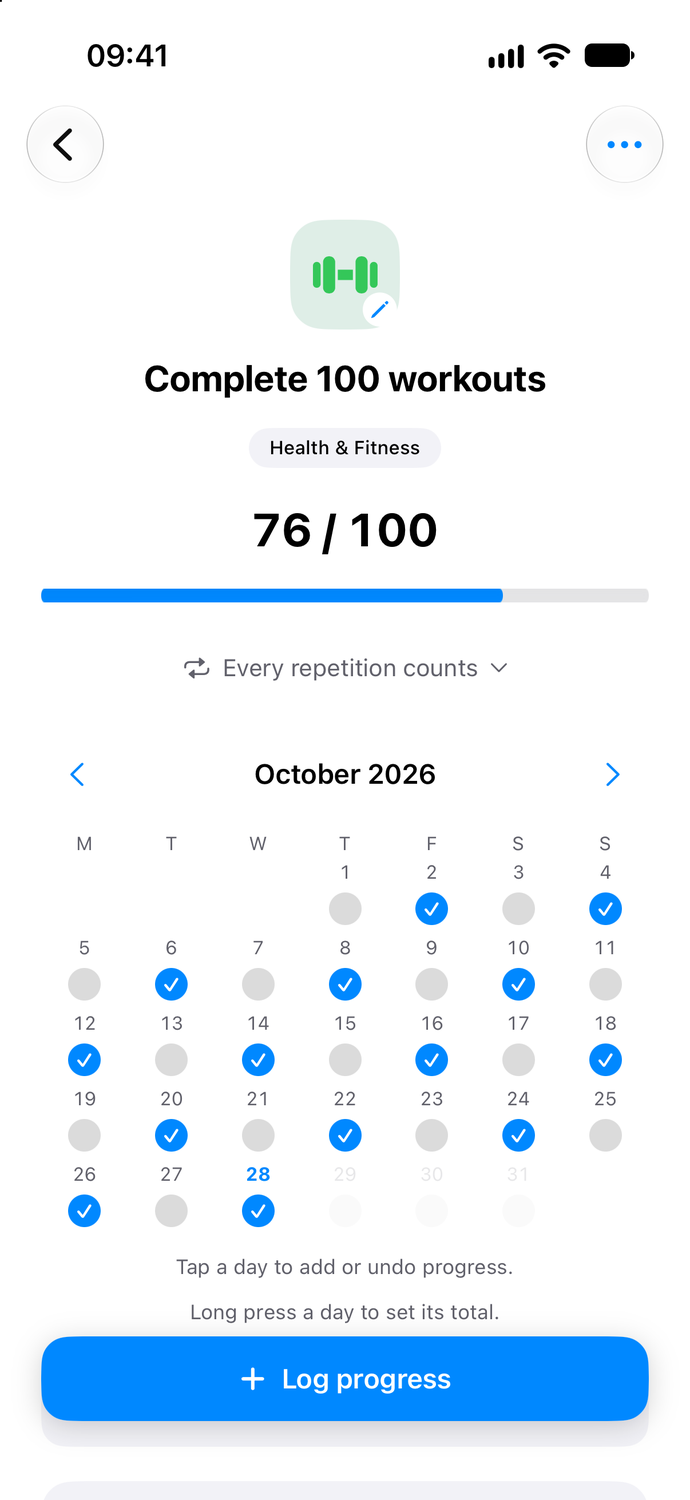
Log another workout, walk, or practice session. Each repetition brings your target closer.
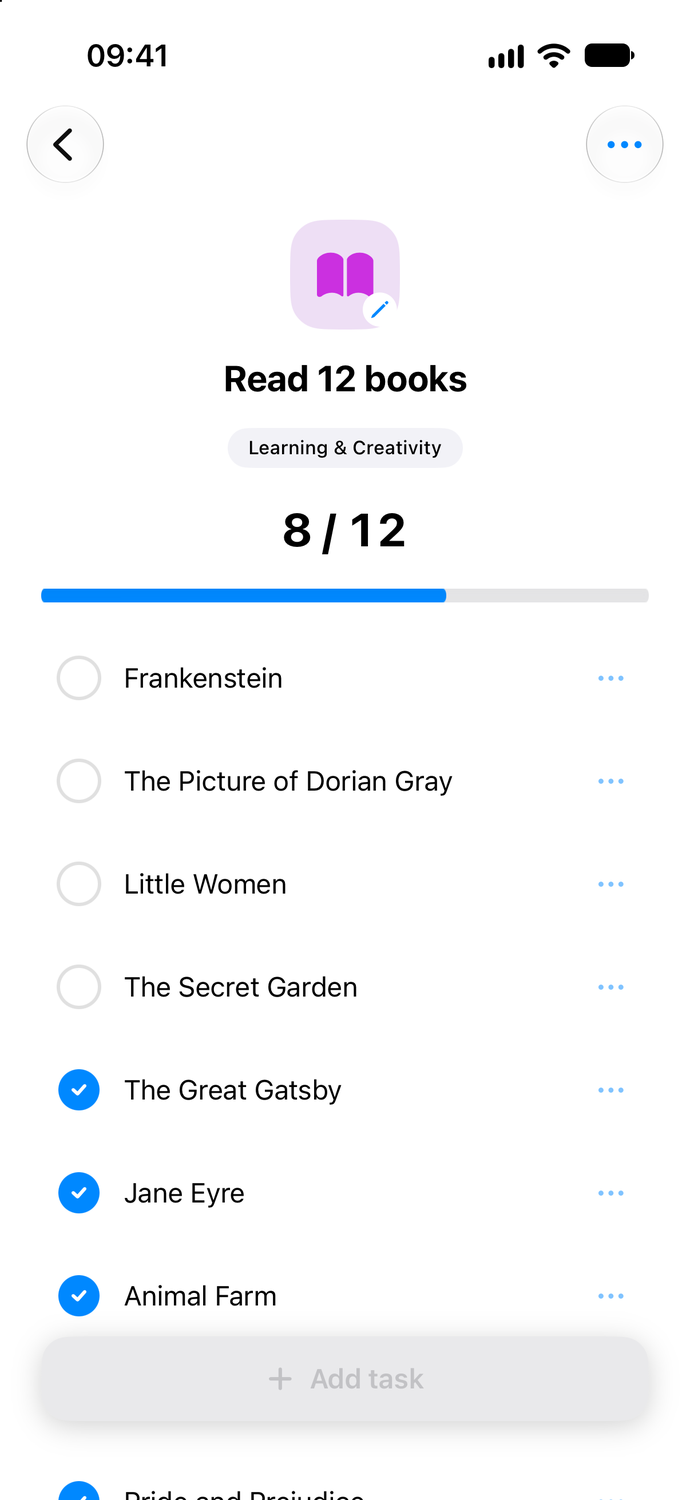
Make a checklist for a bigger plan. See what you’ve done and what’s still ahead.
Swipe to explore the three goal types.
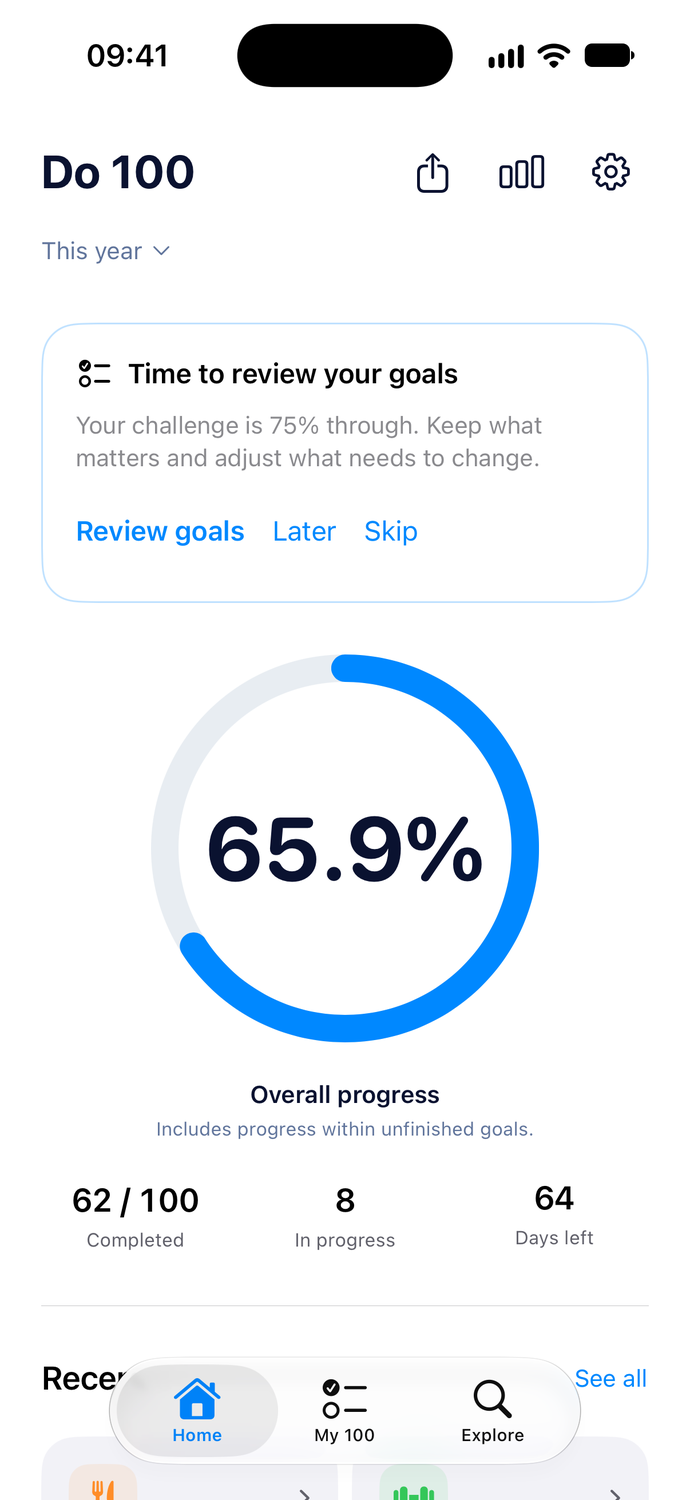
Every step contributes to your overall progress, even before a goal is finished.
Put your year’s progress or a goal you’re working on where you’ll see it throughout the day.


See the whole year at a glance, or keep an individual goal close. Use interactive Home Screen widgets to log progress, check off tasks or complete a goal when those actions are available.


A quick look is all it takes to see how far you’ve come. Choose your overall progress or a particular goal.
Choose a calendar year, or give yourself 365 days from the day you begin.
Add your own goals, adjust targets, and keep notes about what you have in mind.
Revisit completed goals and past challenges, or export a copy of your list.
A little more of what you want to do.
Now on the App Store.
Free to download. A subscription unlocks Do 100.
Requires iOS 17 or iPadOS 17 or later.