
On this page
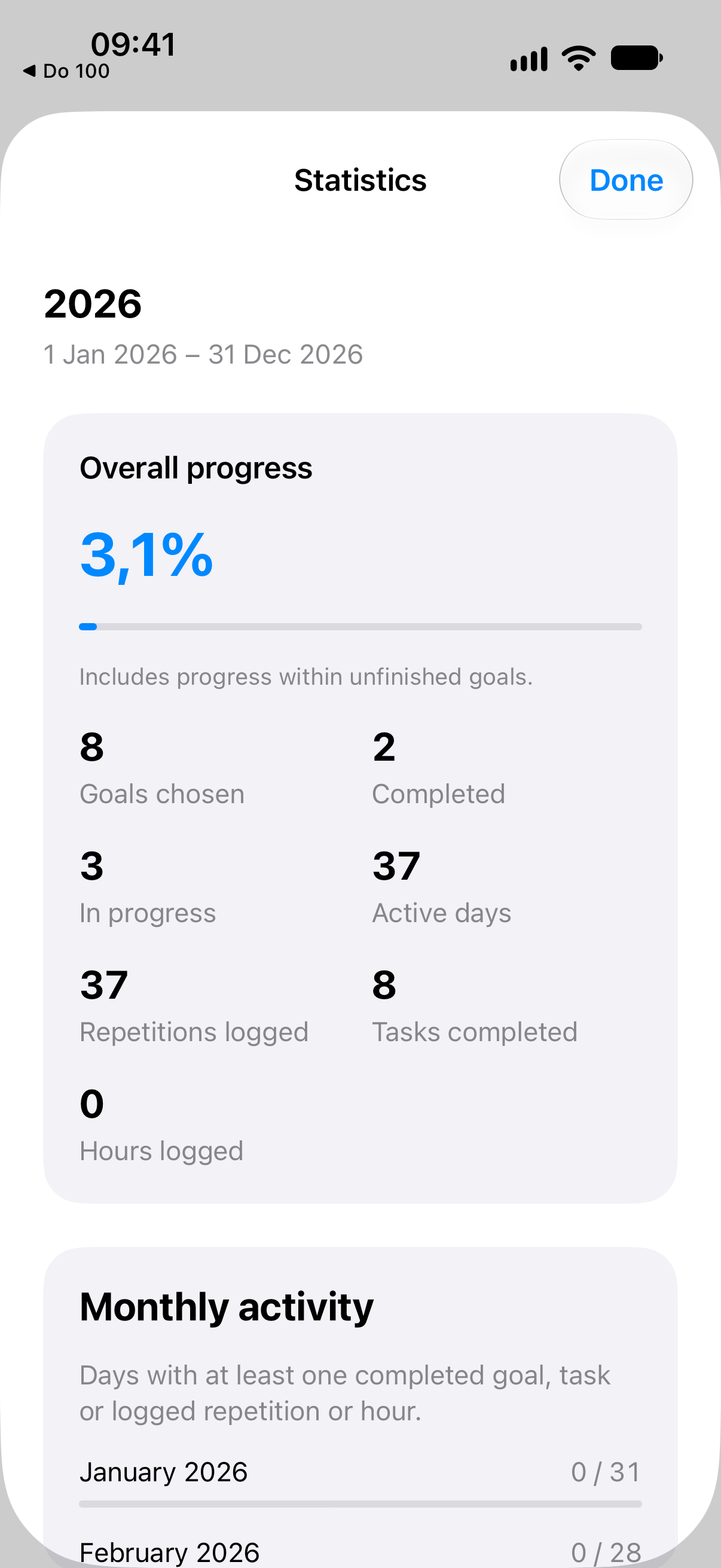
See your progress in Statistics
Open Statistics from Home to see overall challenge progress, active days, activity over time and progress by category. Different units stay separate, so hours and completed tasks are not added together as if they were the same.
Choose your reminders
Set reminders on a goal or an individual task: daily, on selected weekdays, or once after a chosen period without progress. Choose the time and enable notifications separately on each device. Completed items stop reminding; tapping a notification opens its goal. Open the app regularly to keep its local notification schedule up to date.
Review goals as your challenge progresses
At 25%, 50% and 75% of the challenge’s time, a Home card offers a review of unfinished goals, with progress and useful context. Keep or edit a goal, choose Later to hide the card for a week, or skip that checkpoint. Nothing changes automatically.
Celebrate overall progress
Brief celebrations mark 25%, 50% and 75% overall progress, including progress within unfinished goals. They respect your haptic and Reduce Motion settings and keep you in the app without interrupting your next action.
Plan your next challenge
Build a new challenge from a previous one: repeat a goal, adjust it, leave it behind or add something new. Review the list before creating it. New progress starts at zero and tasks start unchecked; the previous challenge stays intact.
Share a richer recap
Your recap adds activity over time, progress by category and unfinished goals closest to their target. Choose a Post or Story format and whether to include favorite goal names. Your notes and task names stay out of the shared recap.