
On this page
Keep your favorites at the top
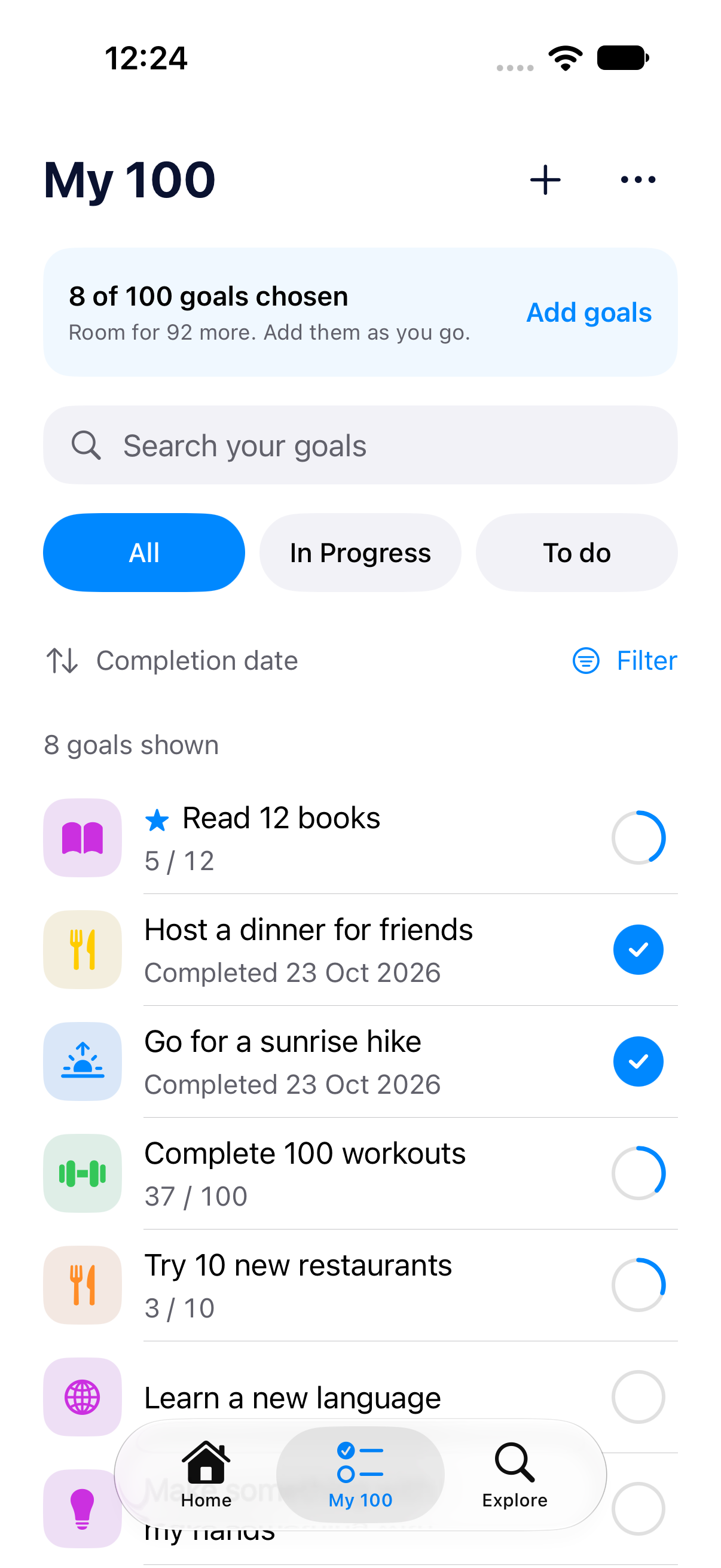
Open a goal’s ⋯ menu, or long-press it in My 100, and choose Add to Favorites. A star marks it and it moves to the top of My 100. Your filters still apply, and your chosen sort orders the favorite and other goals separately. Remove it from Favorites to return it to the normal order.
A target is no longer a stopping point
Reached your repetition target? Keep tapping Log progress. A goal can now show 301/300 and stay complete. Extra logs are saved, but the goal’s contribution to overall progress stays capped at 100%. Your daily logging rules still apply.
Your next action stays within reach
Add task, Log progress and Mark as done now float at the bottom of goal pages. The full-width background and fade are gone, so more of the page remains visible as you scroll. Task goals now have the same easy-to-reach bottom action.
Find and edit goals more easily
My 100 separates sorting from filtering, with category and goal-type filters. In the global Interests view in Explore and onboarding, goal rows show a matching selected interest instead of the broad category. Edit interests lives in the ⋯ menu. Tapping a goal’s icon or pencil opens the full Edit Goal page.
Clearer widgets
Home Screen goal titles can use up to two lines when there is room, then end with an ellipsis instead of shrinking. The smallest overall-progress widget reads “xx days left” as one phrase, without the separator dot. Compact Lock Screen title layouts stay unchanged.
Small interactions that feel better
Progress and selection taps have stronger haptic feedback on supported devices. Holding an unfinished task gives a ready tap before reordering; the lifted row adapts to light and dark mode. Task check/uncheck animations are smoother, and a held goal’s menu keeps the background list from scrolling. Haptics still respect your setting.
Clearer feedback and guidance
Trying to add or save a duplicate goal name brings you back to the name field with a visible explanation and keeps your draft. The hours prompt now asks “How many hours?” Help and About have dedicated pages in Settings. Foreign-film starter tasks better reflect the app language, without changing tasks you have already saved.
The same update across your devices
These changes use the shared iPhone and iPad app and remain translated in all ten supported languages. This update does not add a new subscription tier. Update Do 100 to version 1.1 in the App Store, then pick a favorite and keep going.